Programming
Introduction
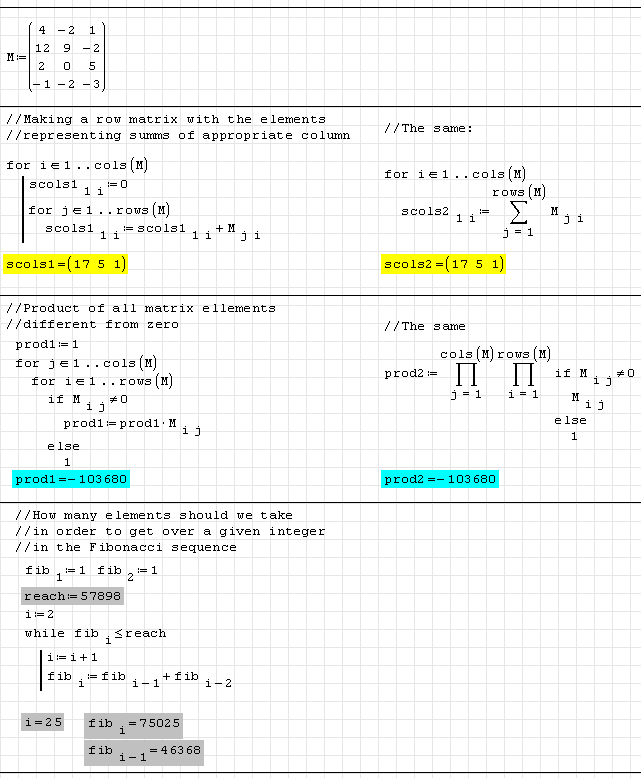
SMath Studio has a number of embedded Programming capabilities, allowing you to handle your calculation in a more efficient way. Standard conditional and cyclic constructions are supported.
Examples
Performance Hints
In many cases you can gain a speedup by setting the Optimization mode to Numeric as follows:
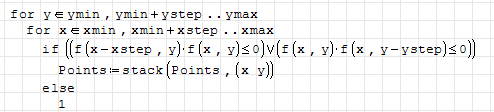
- Let's start with nothing selected:
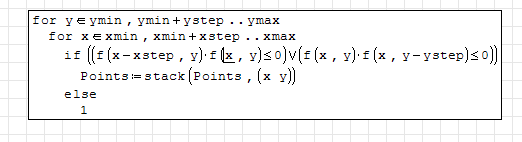
- Left-click anywhere on the loop in question. The loop will be surrounded by a selection box:
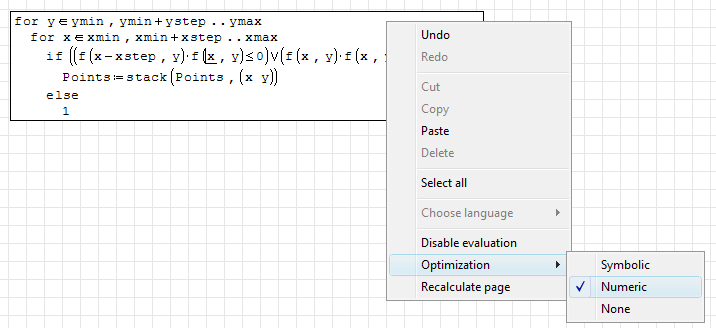
- Right-click anywhere on the loop. The context menu will now have a setting for Optimization. Set this to Numeric. The Optimization setting automatically applies to all operations within the selection box.
- When you left-click outside the loop, SMath Studio will recalculate the page (if you have main-menu option Calculation > Auto calculation turned on). The calculation will typically be faster than it was with Optimization set to Symbolic.
This page is based on a legacy wiki article by Will Massie.