Descriptions
Descriptions let you document math expressions on the worksheet; the descriptions you specify are visible in the Dynamic Assistance hints.
Descriptions support multiple languages.
Usage
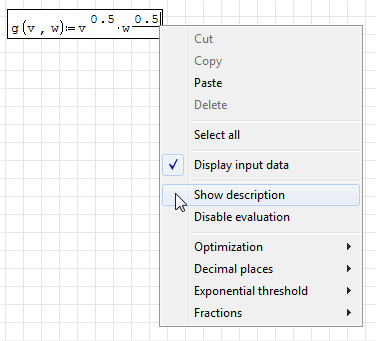
To enable a description, right-click on the variable/function/plot and choose "Show description".
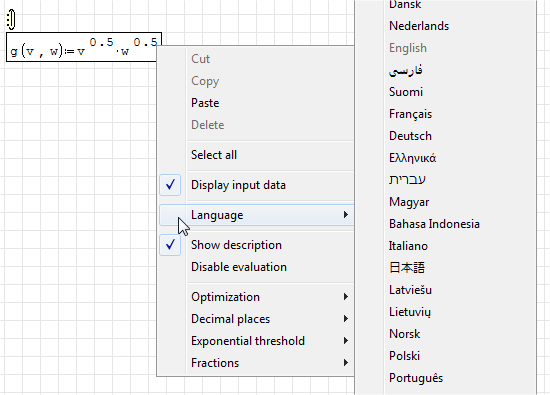
When the description balloon is enabled, you can change the description's language.
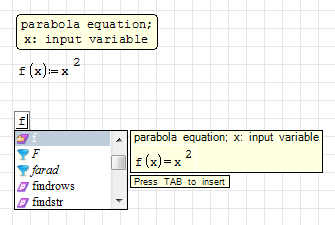
The description is visible in the Dynamic Assistance hints.
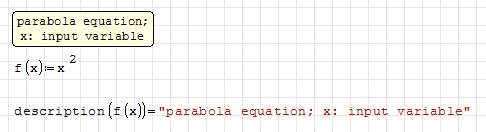
You can retrieve the description of your variables and functions using the built-in function description().
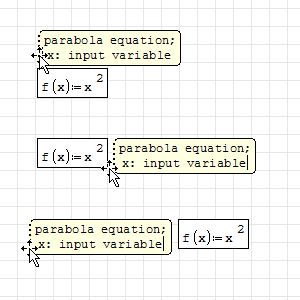
Left-click and drag the left edge of the description balloon to change its relative position (left/right/top).
This page is based on a legacy wiki article by Davide Carpi.