Local Licensing Server License Reservation
The Local Licensing Server reserves licenses for users and devices depending on the license type and the server's settings.
This page describes Local Licensing Server 5.1. For version 4.2 and earlier the details may differ — see the delivery instruction for version 4.2 (PDF).
Fixed licenses
By default a fixed license can be reserved only for a signed-in user whom the administrator has added to the reservation list. So an anonymous user cannot get a fixed license, and neither can a signed-in user who is not on the list. This is a property of the license; your software vendor can change it on request.
The reservation list is on the license's own page: click the license name in the list on the Licenses page. Only the administrator can add users to it or remove them.
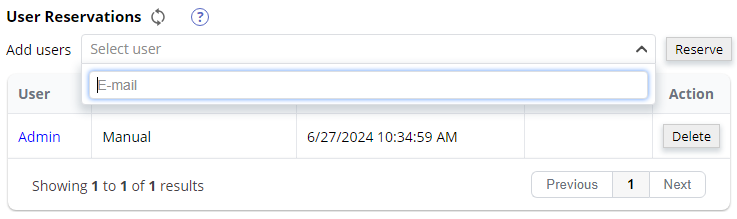
Removing a user from the list does not take effect immediately — this is what distinguishes fixed licenses from floating ones.
Floating licenses
A floating (network) license is reserved automatically for any user on any device that asks for one, as long as the pool has a free license. When the pool is exhausted, the user is told that no license can be obtained at the moment.