Modeller Region
Introduction
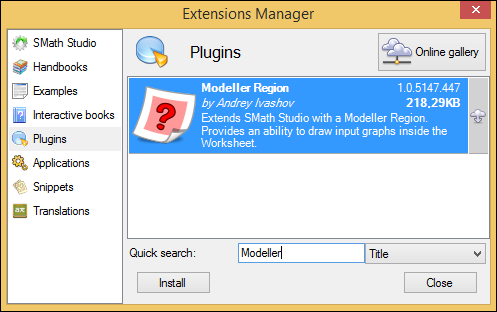
We consider SMath Studio as a WYSIWYG (What You See Is What You Get) editor. Modeller Region is definitely one of the key components implementing this approach. It is an SMath Studio plugin, available via Extensions Manager:
Basics
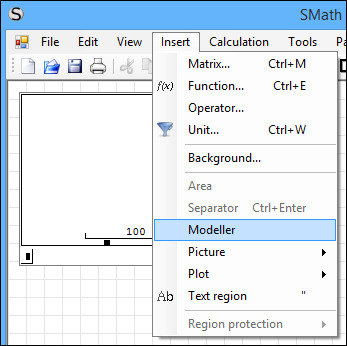
After the plugin is installed, Modeller Region becomes available via the Insert menu:
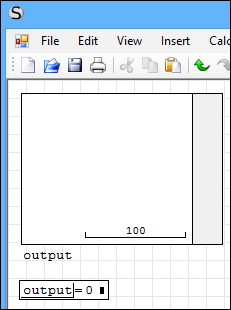
After a new region is added, it requires an output variable to be set. It may be useful to evaluate this variable after the region. Note that a value of 0 means no data is drawn:
Modeller Region is just a workspace. In order to fill it with some interactive shapes, we need to configure it. We call such a configured object Template. Every Template is a row-vector with several parameters inside. All templates should be composed within single sys() function as shown below:
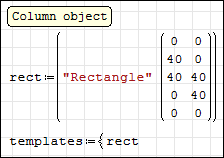
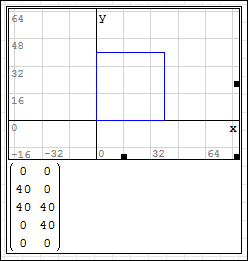
In the simplest layout you are able to set the name of Template and its path. Path is a matrix with two columns — pairs of the point coordinates. It is absolutely the same as supported by Plot Region:
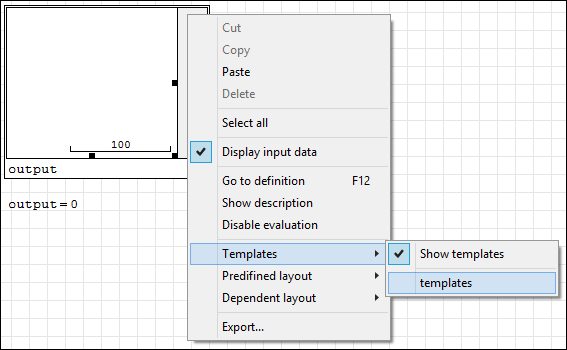
After Templates are configured, it has to be linked to the Modeller Region where it is supposed to be used. It may be done via context menu:
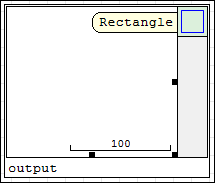
After it is done you will see a Shape appeared at right of Modeller and while this Shape is hovered you will see a hint with Shape's name:
That is all we need to start. Now you can drag-and-drop shapes from the palette at right to the Modeller canvas:
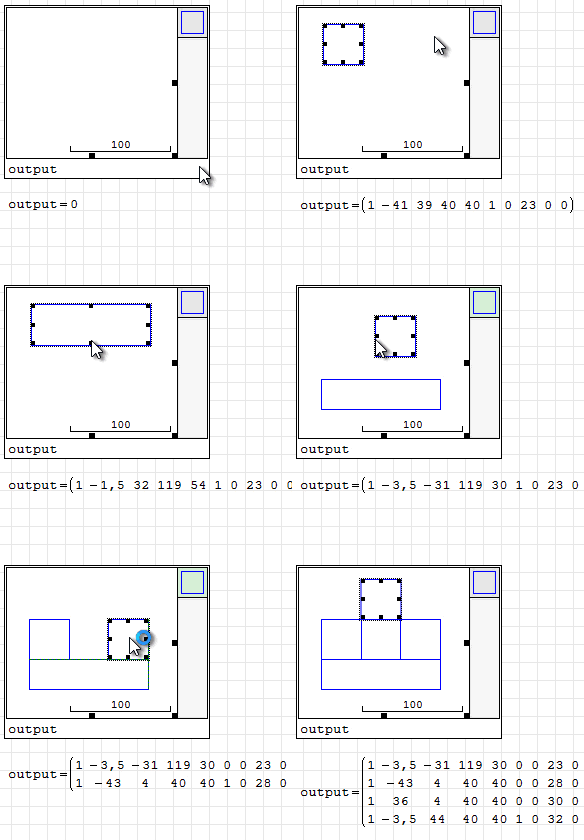
After adding Templates check output variable. It contains full description of Shapes drawn inside Modeller and you can do whatever with this data as a part of your calculation:
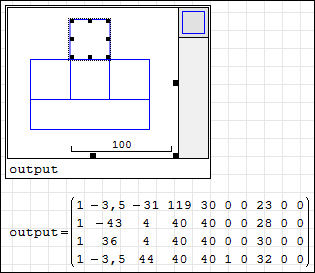
The most interesting parts of this data:
- Column #1: Number of Template used for the Shape;
- Column #2: X-coordinate of the Shape;
- Column #3: Y-coordinate of the Shape;
- Column #4: Width of the Shape;
- Column #5: Height of the Shape;
- Column #6: Determines whether Shape is active (focused);
- Column #8: Unique id of the Shape;