SMath Studio Enterprise
Introduction
SMath Studio has a special edition oriented on commercial customers. It is called SMath Studio Enterprise. An organization needs it to obtain licenses from the Root Licensing Server or from a Local Licensing Server installed in its network.
It is still the same well known engine with just a few features added for better user experience when used in the organizations.
Features
- It can be configured to the address of a Local Licensing Server in your organization's network — or use the Root Licensing Server, if required.
- It does not connect to the internet itself: all communication goes through the licensing server.
- Anonymous access is supported, so users do not have to be registered on the server.
- Your company logo is built into the program, and the icon button in the main menu links to your company website.
- Optionally, the main menu can list links to resources in your local network or on your company website.
Packages
SMath Studio Enterprise is available as:
- an MSI installer for Windows;
- an application archive for the Mono runtime, which also runs directly from the file system;
- an AppImage package for Linux.
Download
- From your Local Licensing Server: Download SMath Studio Desktop in the left-hand menu,
http://<server>/en-US/Downloads. The server must be online for this.
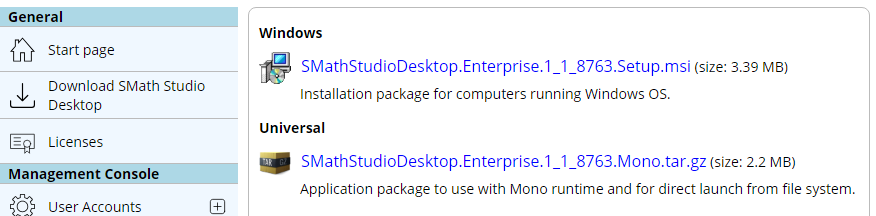
- From the SMath Studio Enterprise download page, on any device with internet access.
System requirements
At least 4 GB of disk space, 1 GB of RAM and a 32- or 64-bit CPU with 2 cores at 1 GHz.
- Windows 8, 8.1, 10 and 11, with any updates.
- Linux distributions that can install the Mono runtime: Ubuntu from 16.04, Debian from 9, CentOS/RHEL from 6 and their derivatives, including Astra Linux and ALT Linux.
Setting up
- Installation — Windows, including silent and portable installations, and Linux.
- Launch modes — with the user interface, from the command line, as a service.
- Connecting to a licensing server — activation in the program or from the command line.
See also Integration for automating SMath Studio Enterprise.